Independent overlays
Place multiple animated assets on the desktop and tune each one with its own scale, opacity, speed, visibility, lock, click-through, and always-on-top controls.
OpenAnima v1.1 is a Windows desktop overlay engine for GIFs, APNGs, WebM videos, sprites, frame animations, HUD elements, and animated desktop assets. It is not just a GIF player: it gives you an asset library, overlay inspector, motion controls, recovery tools, and multi-monitor placement for desktop companions, creator visuals, and game-style HUDs.
Choose an asset pack, import new visuals, review setup, and add overlays to the desktop.
Local asset library
OpenAnima combines a reusable asset library, overlay inspector, sprite and animation workflows, safe recovery tools, and playful motion controls in one Windows-focused desktop app.
Place multiple animated assets on the desktop and tune each one with its own scale, opacity, speed, visibility, lock, click-through, and always-on-top controls.
Import single files, folders, folder packs, or zip packs, then switch between organized collections from the Library.
Review detected asset types and configure sprites, frame folders, videos, or HUD elements before they enter your library.
Turn overlays into useful desktop objects by attaching actions that open files, folders, links, or apps when triggered.
Add velocity, gravity, friction, and screen-edge bounce so companions, sprites, and HUD pieces can feel alive.
Move animated overlays across multiple displays and restore them safely when your screen layout changes.
Recover hidden, locked, click-through, or off-screen overlays from Settings, Diagnostics, and tray recovery actions.
Your assets, packs, and runtime state stay on your Windows machine, built for personal desktop customization.
OpenAnima is for people who want more than a looping image on the desktop: it is a small creative layer for animated assets, recoverable customization, and playful workflows.
OpenAnima is built around a broad local asset workflow: simple image files, classic GIFs, modern animated formats, game sprites, spritesheets, frame folders, and layered HUD compositions.
The control panel keeps your library, active overlays, settings, recovery tools, and asset setup screens in one readable Windows desktop flow.
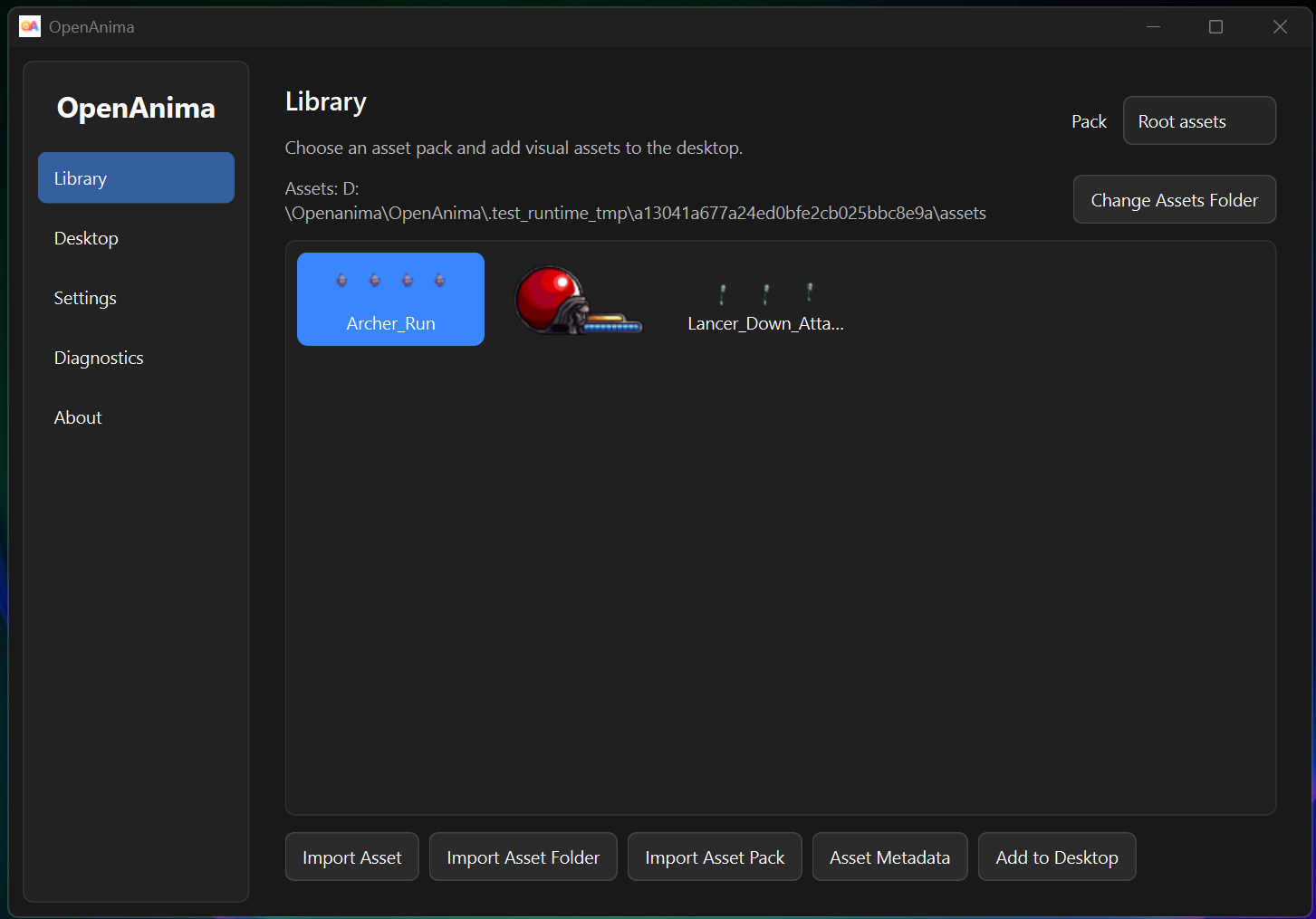
Import once, reuse anytime. Select packs, browse assets, and send animated visuals to your desktop from one screen.
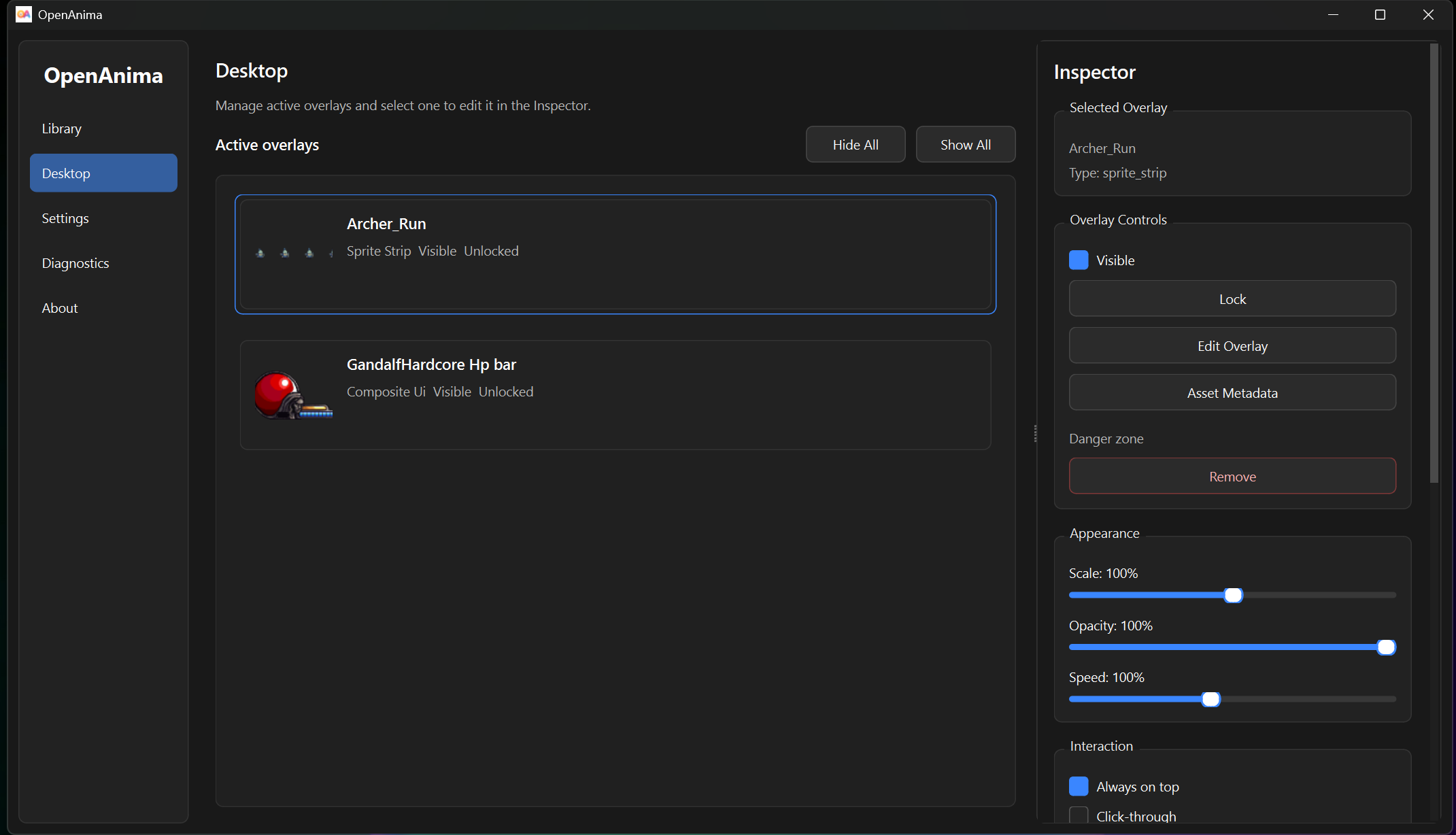
Tune every overlay without touching files: appearance, interactions, actions, motion, and monitor placement.
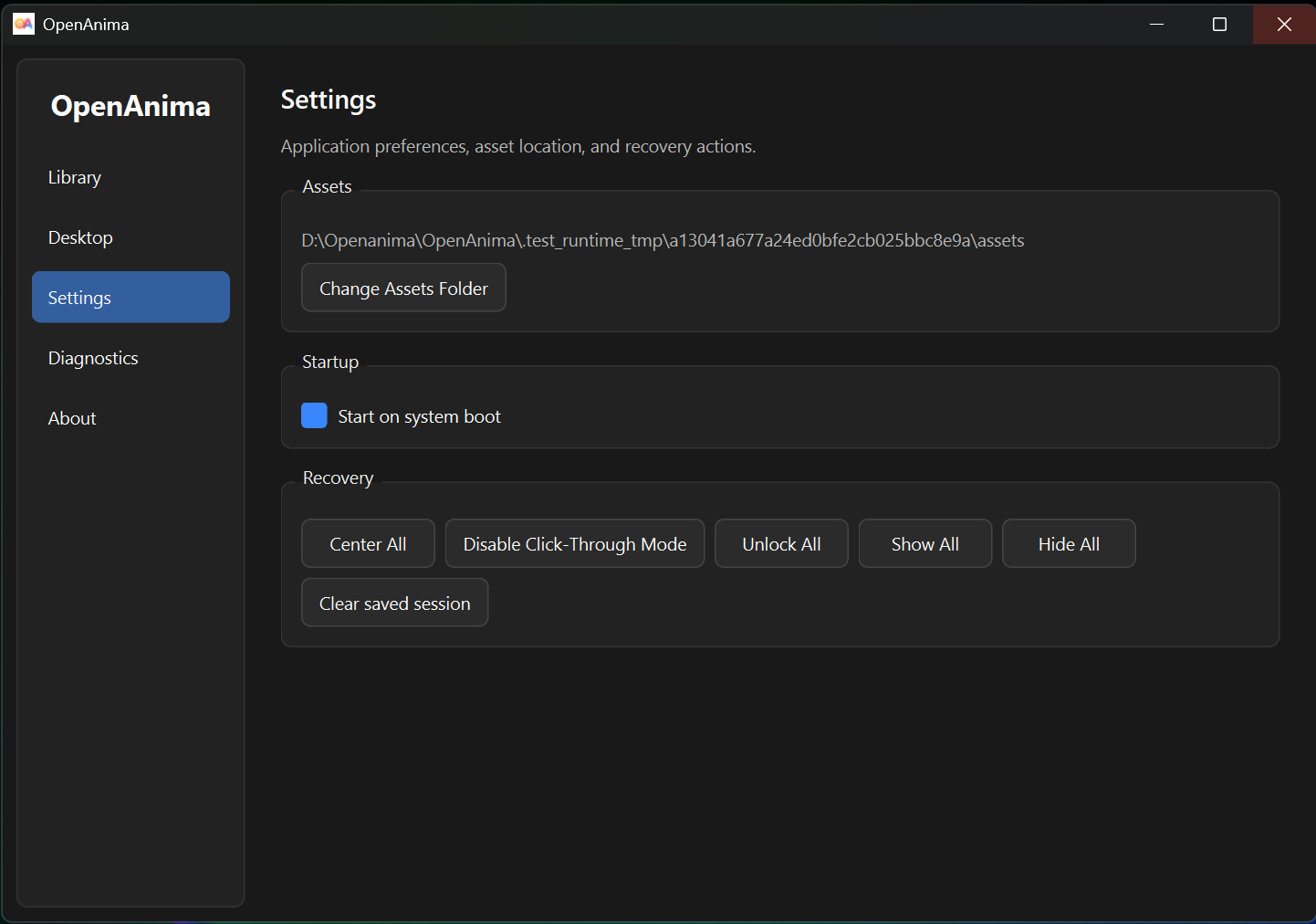
Recover hidden, locked, click-through, or off-screen overlays safely.
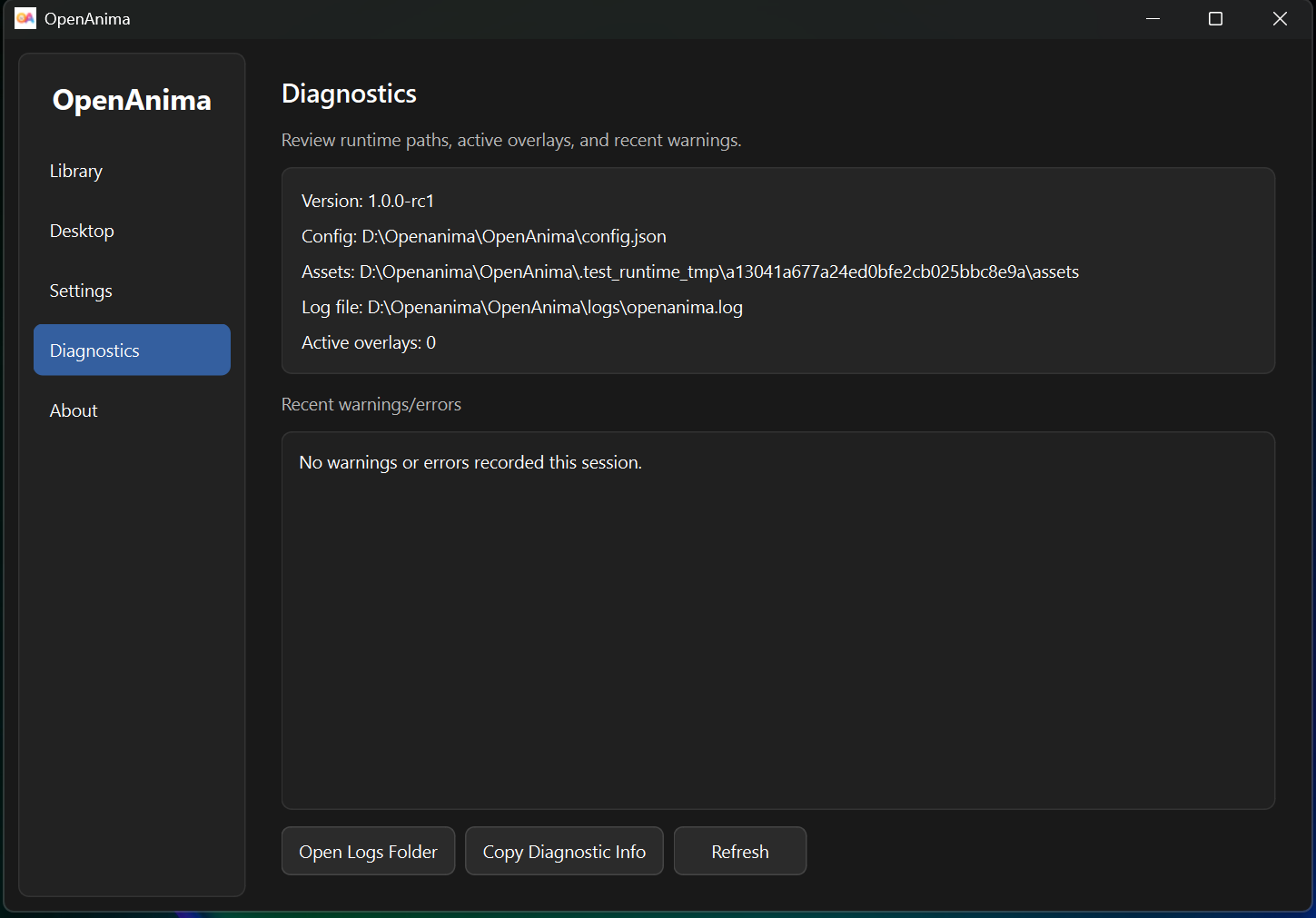
Check active overlays, spot warnings, and find recovery options when something needs attention.
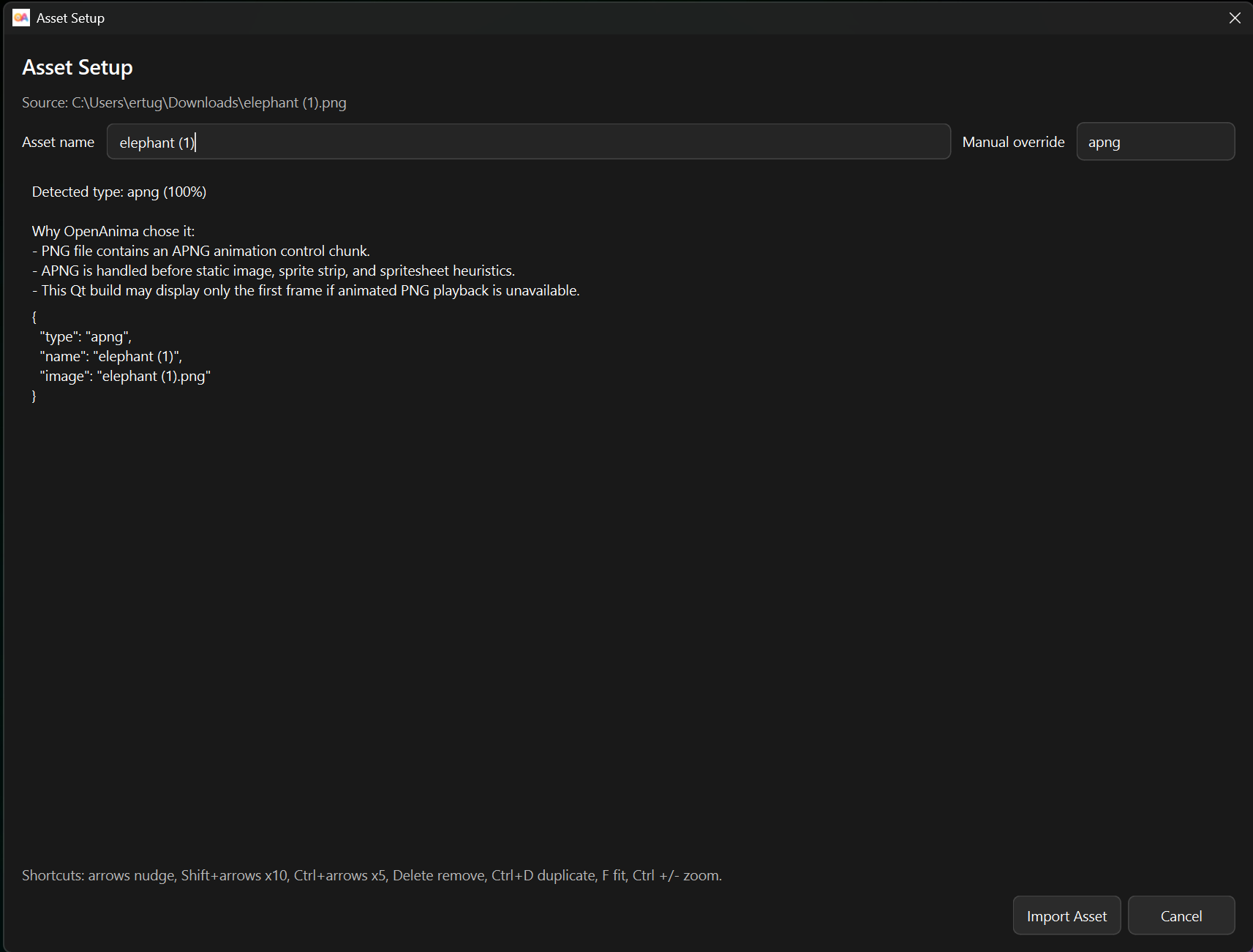
Review detected types and configure assets before they enter your library.
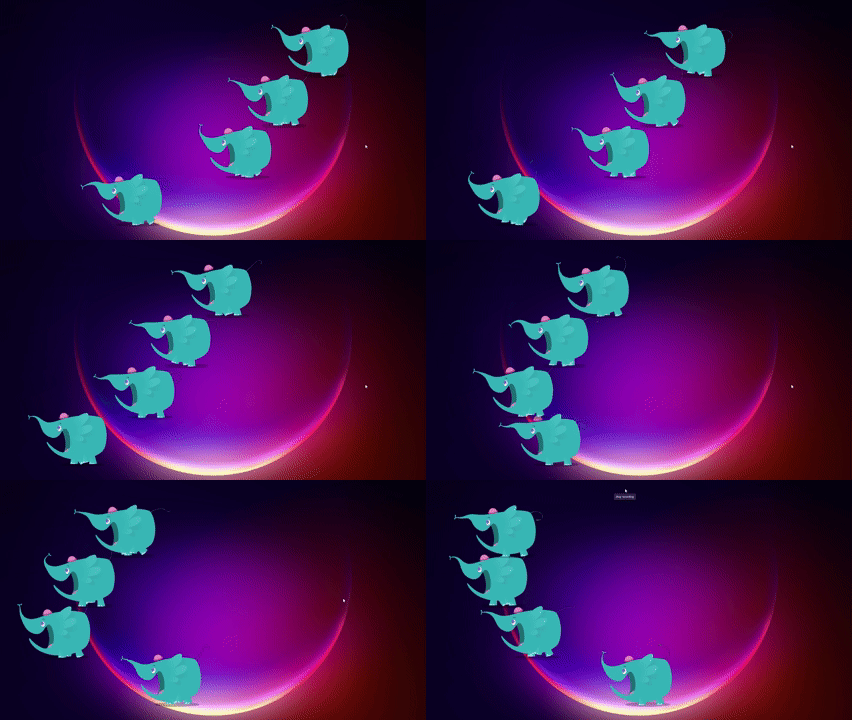
A quick demo is still the fastest way to understand the vibe: small animated objects living above your normal workspace.
The current version is built around a simple repeatable loop: import, verify, place, customize, recover.
Add a single file, folder, folder pack, or zip-based asset pack from the Library.
Confirm the detected type, preview frames, tune playback, or prepare layered HUD elements.
Add the asset to your desktop, choose the right display, and adjust it from the Inspector.
Restore control if an overlay becomes hidden, locked, click-through, or off-screen.
Prepare game-style animations and layered HUD elements before they become overlays. Preview frames, tune playback, build bars and counters, and keep each visual easy to reuse.
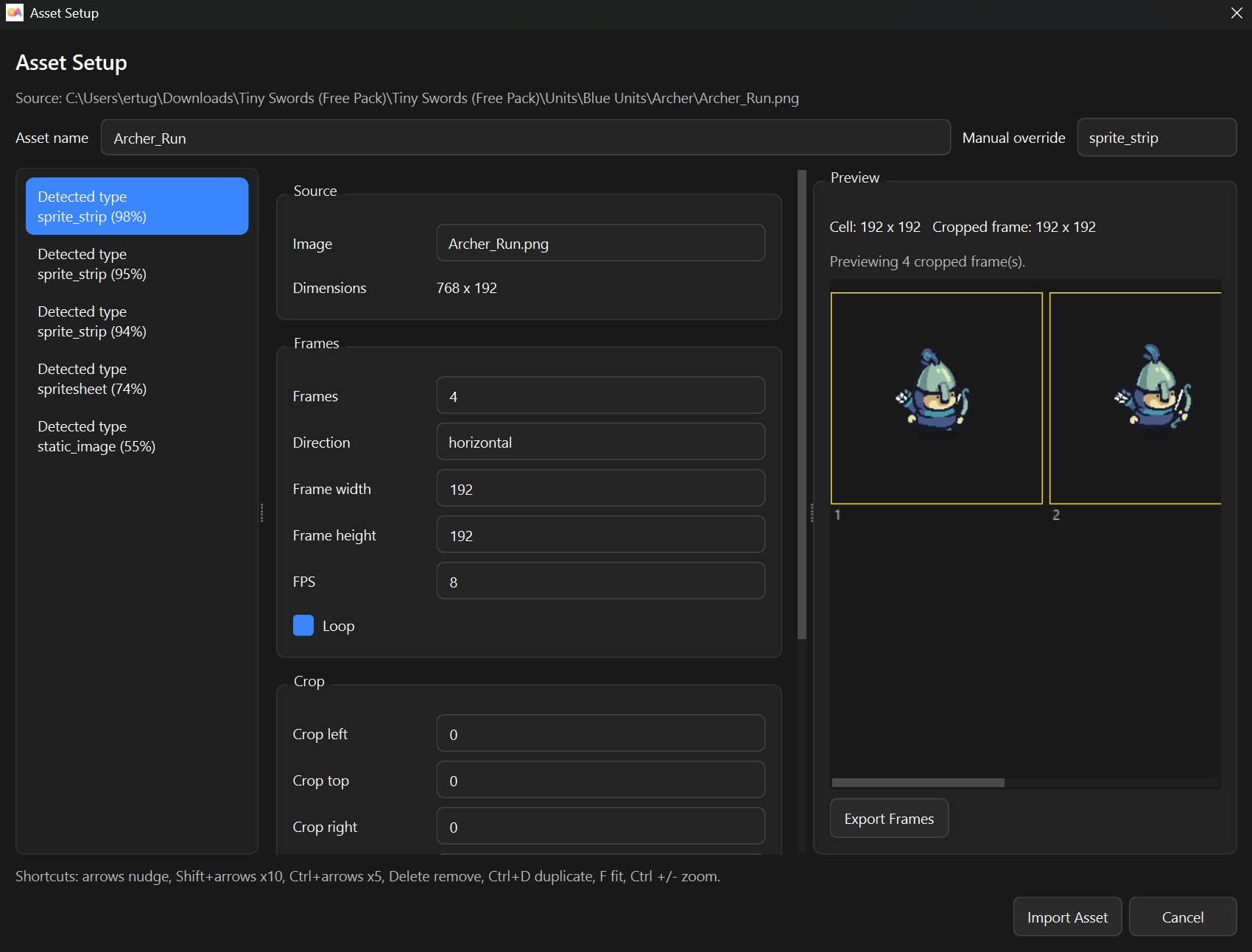
Preview frames, tune playback, and prepare game-style animations.
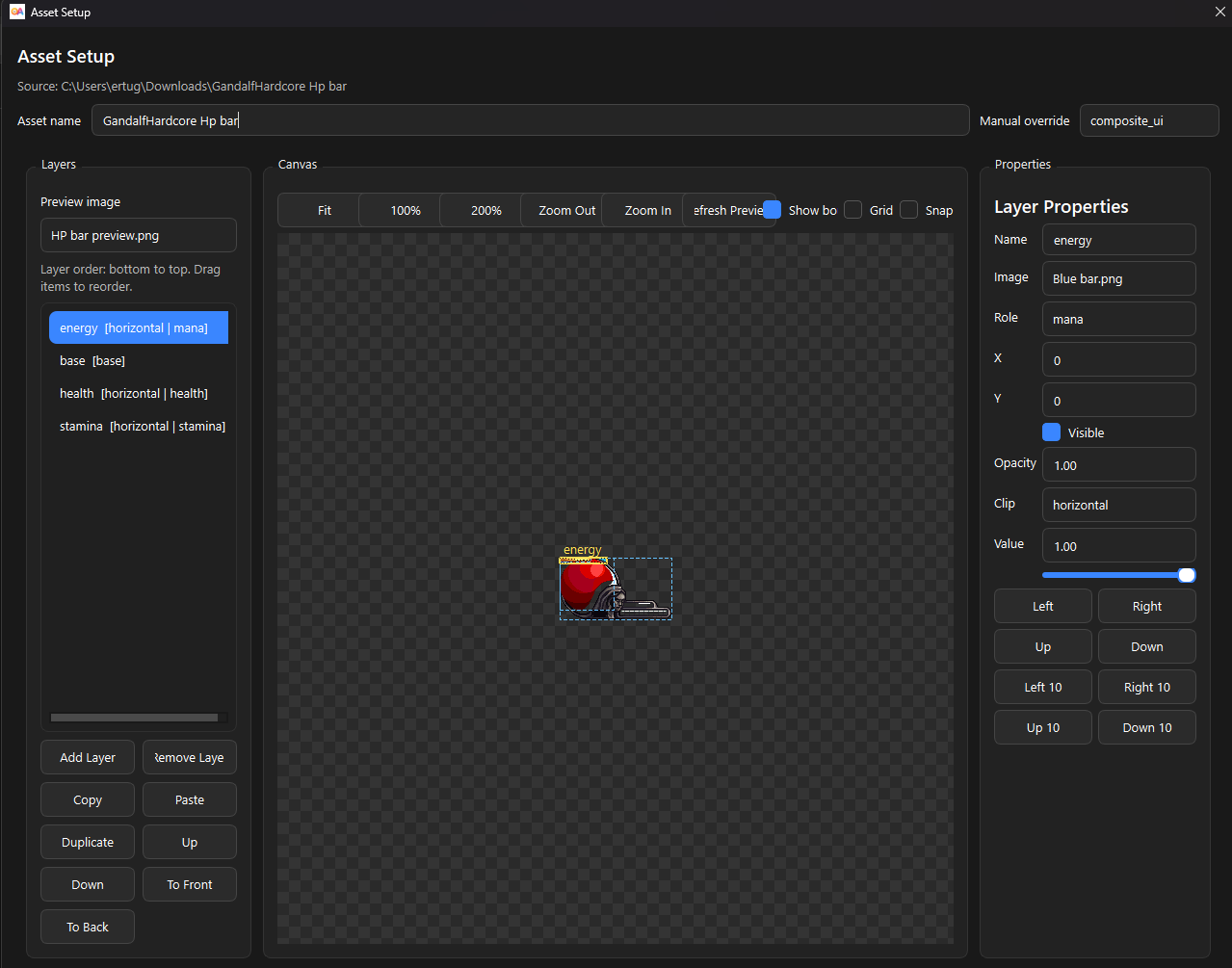
Build layered HUD elements like HP, mana, stamina, and status bars.
OpenAnima is a small visual layer for playful overlays, desktop toys, creator assets, and interface experiments that live directly above your normal workspace.
Add animated mascots, pixel characters, and small visual toys that can sit, move, bounce, or idle on your desktop.
Example: ghost, cat, robot, mascot, pixel characterBuild overlays that feel pulled from a game interface, then place them beside your work, stream, or play space.
Example: HP bar, mana bar, stamina bar, combo counterAdd reusable visual markers and animated elements to recordings, tutorials, project updates, and devlog footage.
Example: tutorial markers, recording overlays, devlog visualsPrototype small desktop widgets that communicate state without taking over your workflow.
Example: focus timer, break reminder, ambient indicatorOpenAnima is growing toward a richer, friendlier desktop asset playground while keeping the core overlay workflow recoverable.
Multi-monitor overlay support, safer placement, and a stronger desktop overlay workflow.
Better presets, more example assets, improved first-run experience, and creator-focused workflows.
Richer desktop assets, reusable overlay scenes, and possible experiments with 3D desktop objects.
Like what you see? Try OpenAnima on Windows from the Microsoft Store, GitHub Releases, or itch.io.